Building My Proxmox Homelab: An In-Progress Systems Administration & Infrastructure Project
When I set out to build my own homelab, my goal was to move beyond textbook theory and design a production-grade, self-hosted infrastructure from scratch. This environment serves as my ongoing hands-on engineering sandbox for systems administration, virtualization, enterprise networking, and security automation.
Rather than a static setup, this project is actively evolving as I deploy, scale, and troubleshoot complex service stacks on physical hardware I control.
1. Hypervisor Architecture & Storage Tiering
At the core of the infrastructure is a dedicated physical bare-metal host running Proxmox Virtual Environment (VE). To optimize resource utilization and isolation, I architected a hybrid deployment model utilizing both lightweight Linux Containers (LXCs) and full Virtual Machines (VMs).
- Storage Performance & Tiering: To prevent I/O bottlenecks, I separated system runtimes from bulk storage. Operating systems, application databases, and metadata reside on high-speed solid-state storage (
local-lvm). Meanwhile, bulk media assets are isolated on a high-capacity drive array mapped directly into containers via Proxmox bind mounts. - Resource Isolation: Each service is isolated with strict vCPU and RAM allocations, ensuring that heavy background tasks do not destabilize core network functions.
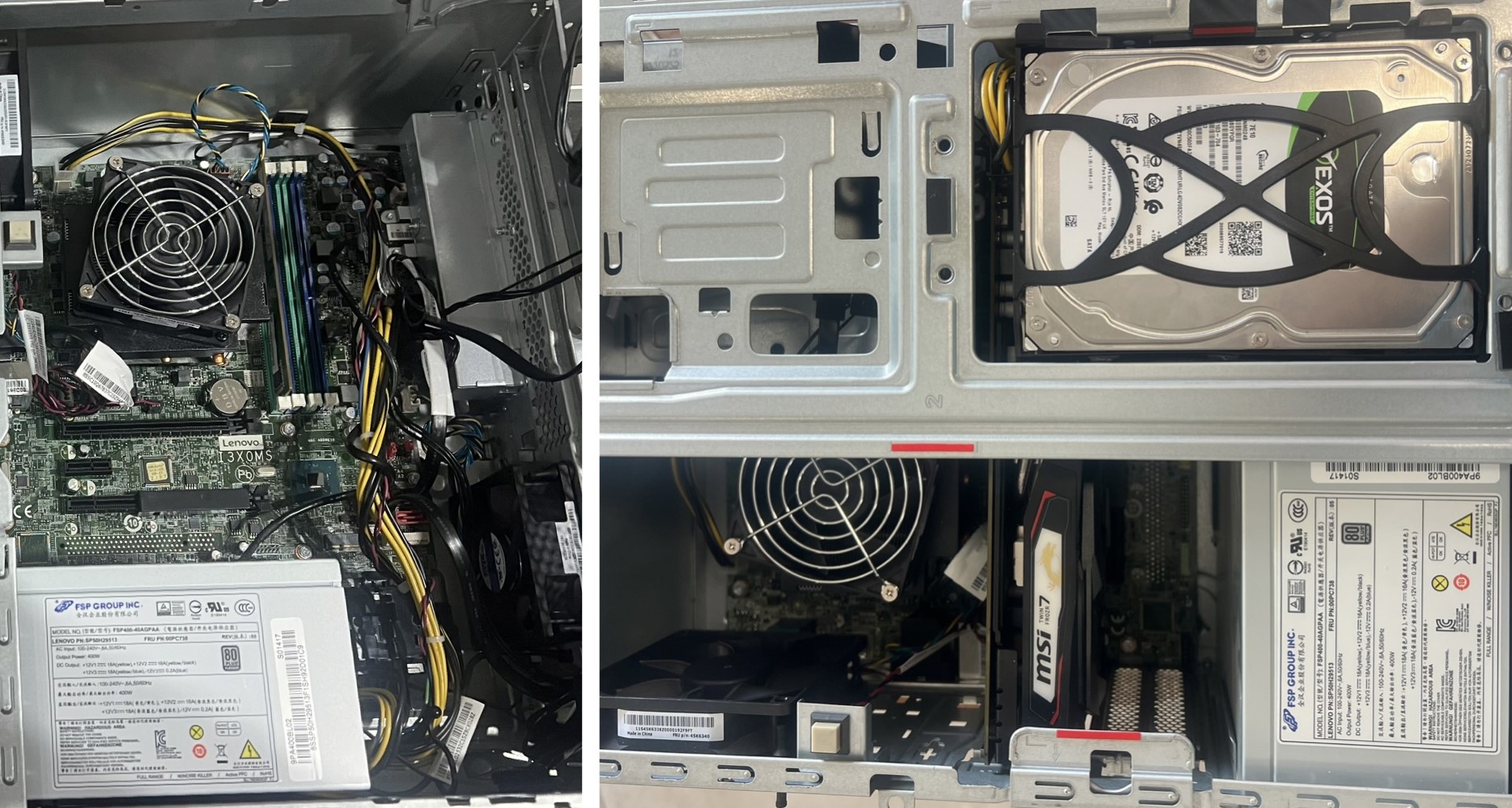
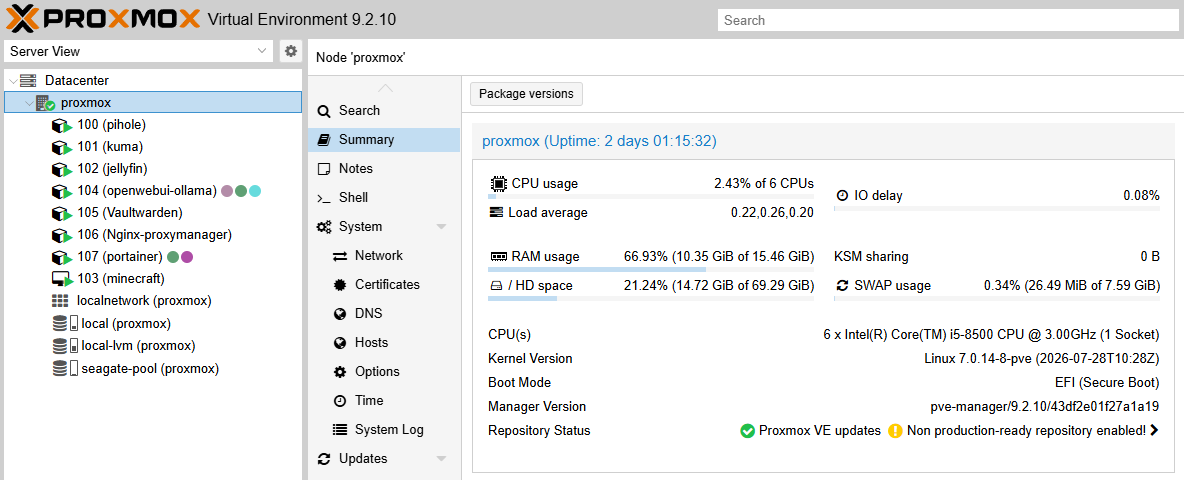
Active Node Topology Layout
[Node: Proxmox Host (10.0.0.x)]
├── LXC 100: Pi-hole (10.0.0.x) + Unbound DNSSEC Resolver (127.0.0.1:5335)
├── LXC 101: Uptime Kuma Network Monitoring (10.0.0.x:3001)
├── LXC 102: Jellyfin Media Streaming Engine (10.0.0.x:8096 / Tailscale IP:8096)
├── VM 103: Ubuntu Docker Engine - Minecraft Server (10.0.0.x:25565)
├── LXC 104: Open WebUI & Ollama AI Engine (10.0.0.x:3000)
├── Docker: Vaultwarden Password Manager (10.0.0.x:8080)
└── Host/Docker: Nginx Proxy Manager (10.0.0.x:81)
2. Core Network Services & Zero-Trust Access
A reliable infrastructure requires robust local DNS management and secure edge routing.
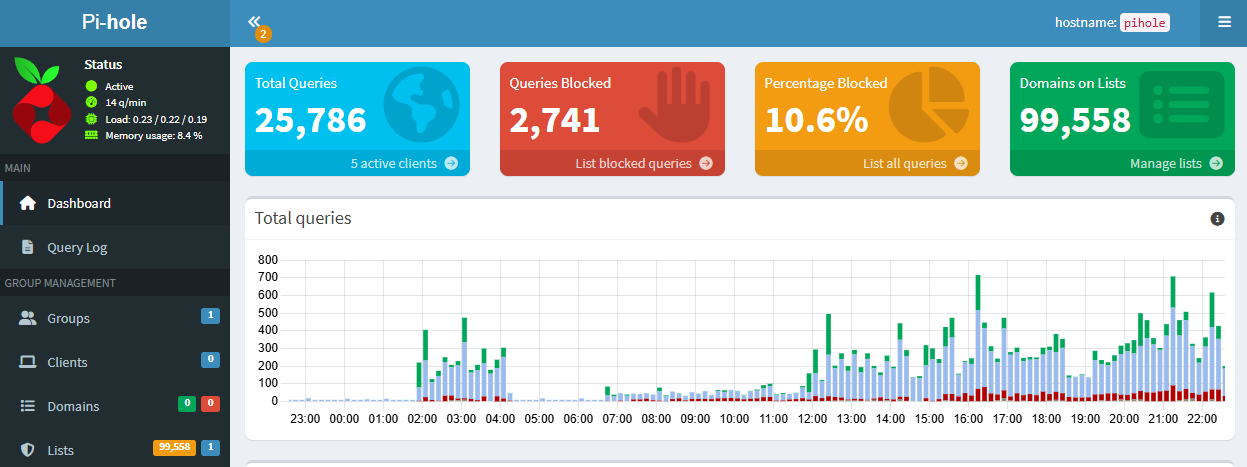
- Network-Wide Ad & Threat Filtering: Deployed Pi-hole v6 as a centralized DNS sinkhole to mitigate malicious domains and network-wide telemetry.
- Recursive DNS & DNSSEC Validation: Layered Unbound behind Pi-hole to operate as a local, validating recursive DNS resolver. By bypassing public upstream providers, queries resolve directly and securely against root servers with DNSSEC enforcement.
- Reverse Proxy & Automated SSL/TLS: Integrated Nginx Proxy Manager to handle local SSL termination and route web traffic securely. Using Cloudflare DNS-01 API challenges, the system automatically provisions and renews Let's Encrypt wildcard certificates (
*.damonditrichs.com), enabling secure internal HTTPS access without exposing raw ports to the public internet.
3. High Availability, Automation, & Media Services
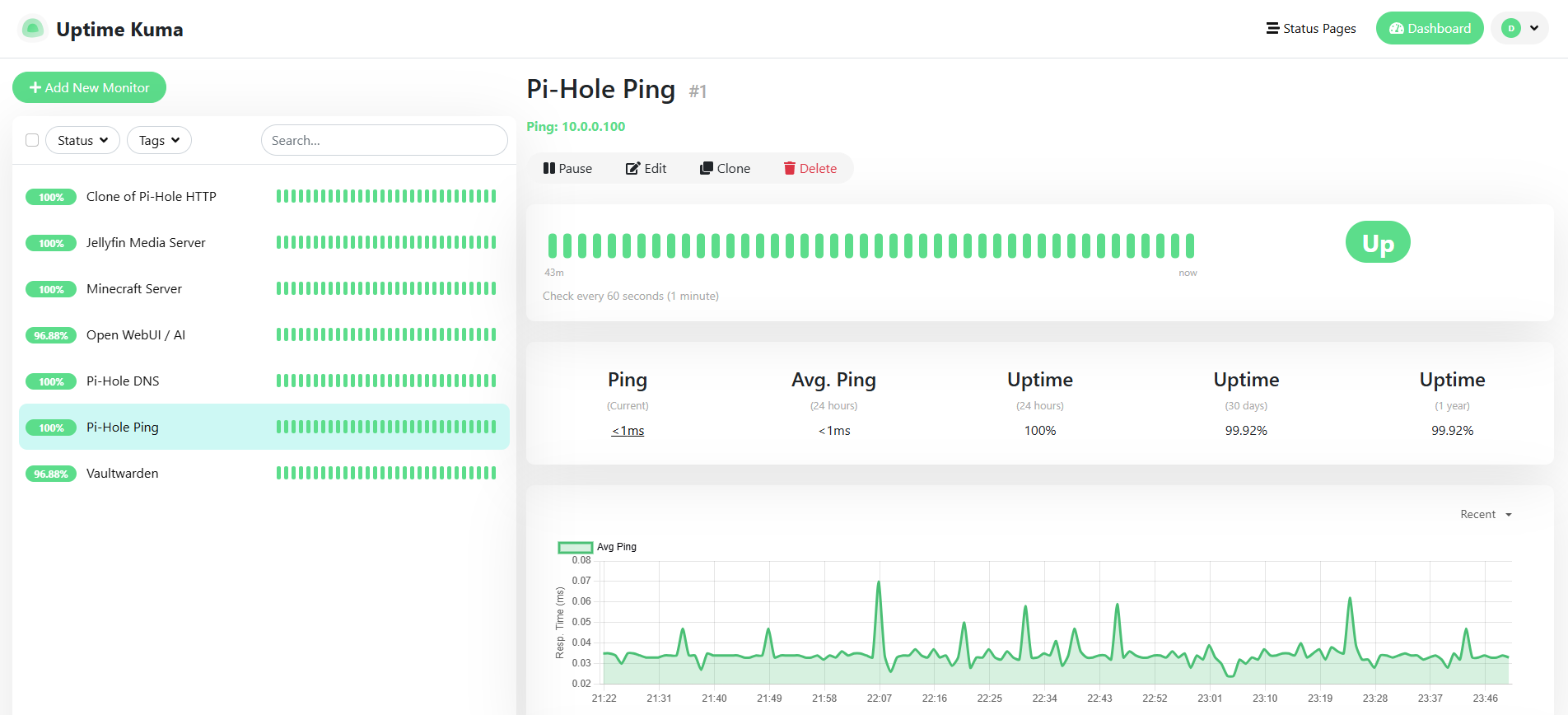
- Infrastructure Monitoring: Configured Uptime Kuma to continuously monitor the health, liveness, and DNS resolution paths of all internal services, providing automated alerts for state changes.
- Media Streaming Pipeline: Deployed a Jellyfin media server tied directly to the ZFS storage pool, managing media indexing that supports local streaming across household clients and Tailscale access for secure remote streaming.
- Containerized Workloads: Deployed a dedicated Ubuntu Virtual Machine running an isolated Minecraft game server via Docker Compose, complete with automated restart policies and resource governance.
4. Local Artificial Intelligence Integration
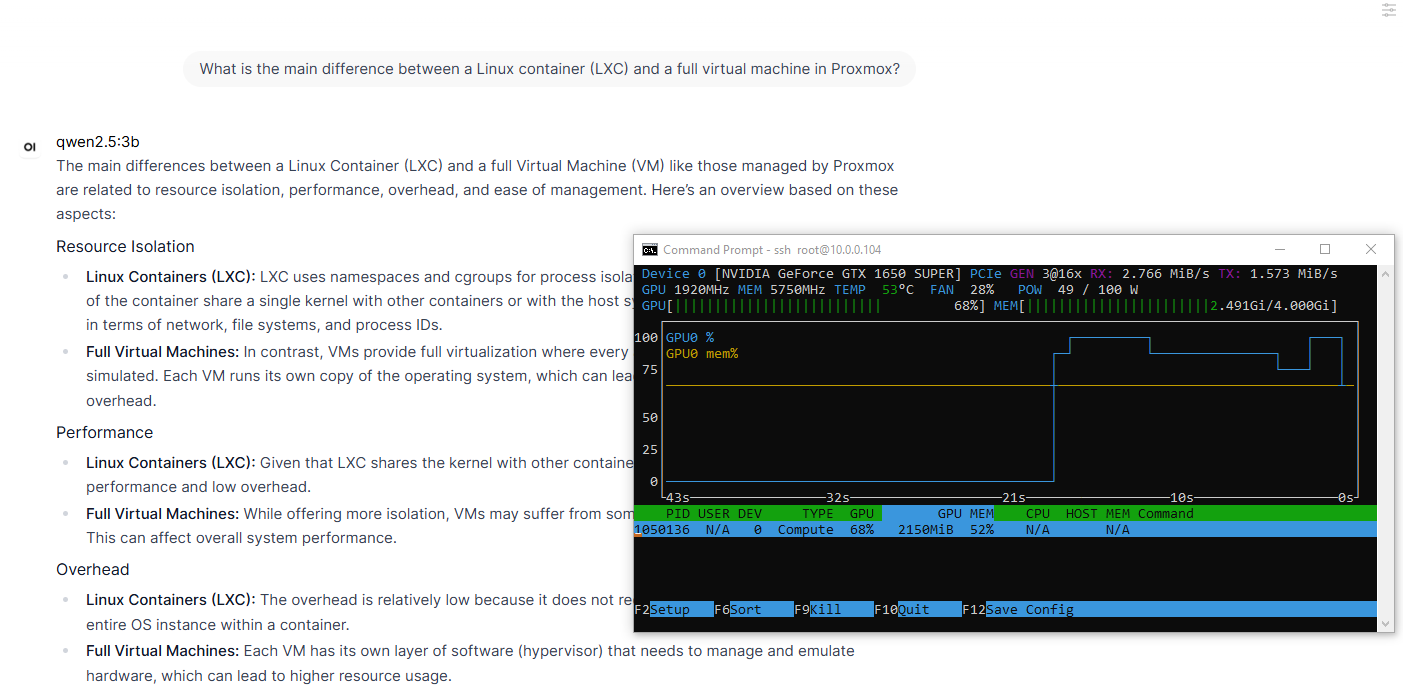
To explore modern machine learning workflows, I provisioned an LXC container running a self-hosted AI stack via Ollama and Open WebUI.
- Hardware Passthrough: Passed an NVIDIA GeForce GTX 1650 SUPER directly through the Proxmox hypervisor into the container using device nodes and cgroup permissions.
- Performance: This enables full GPU acceleration for local large language models (such as Qwen 2.5 and DeepSeek-R1), delivering hardware-accelerated local inference, coding assistance, and text generation entirely off-cloud.
5. Engineering Challenges & Troubleshooting
Building and scaling a homelab naturally involves overcoming technical roadblocks. Here are a few key engineering challenges I've navigated:
- Split-DNS and SSL Routing: Balancing local network resolution with external wildcard certificates required configuring Pi-hole custom DNS entries so that internal clients resolve domain names locally to their respective container IPs while still trusting the Nginx Proxy Manager SSL handshake.
- GPU Passthrough Permissions: Getting the local AI container to recognize the NVIDIA GPU required careful configuration of LXC device mapping (
/dev/nvidia*), cgroup2 device allow rules, and manual bind-mounting of runtime hooks to ensure the container had direct hardware access without compromising host stability. - Storage Bind-Mount Permissions: When attaching the bulk storage pool to the Jellyfin container, managing user and group UID/GID mappings between the Proxmox host and the unprivileged container ensured the service could read and write media files securely without permission drift.
6. Current Focus & Roadmap
- Professional Alignment: Using this environment to anchor my practical knowledge while actively studying for advanced IT and networking certifications.
- Infrastructure Expansion: Continuously hardening security boundaries, optimizing automated backup strategies, and expanding containerized monitoring workflows.